¶ Import configuration file
This section explains how to install the driver and how to import the configuration file after connecting the machine.
¶ Install the driver
- Driver name: CH340SER.EXE
- Where is this program?
- 1、The TF card provided by the manufacturer.
- 2、Open the browser and search for: CH340SER
- CH340 Official Website
- Note: Failure to install the driver program will result in the computer being unable to connect to the machine. The driver files for Windows and MAC are different.


¶ Import configuration
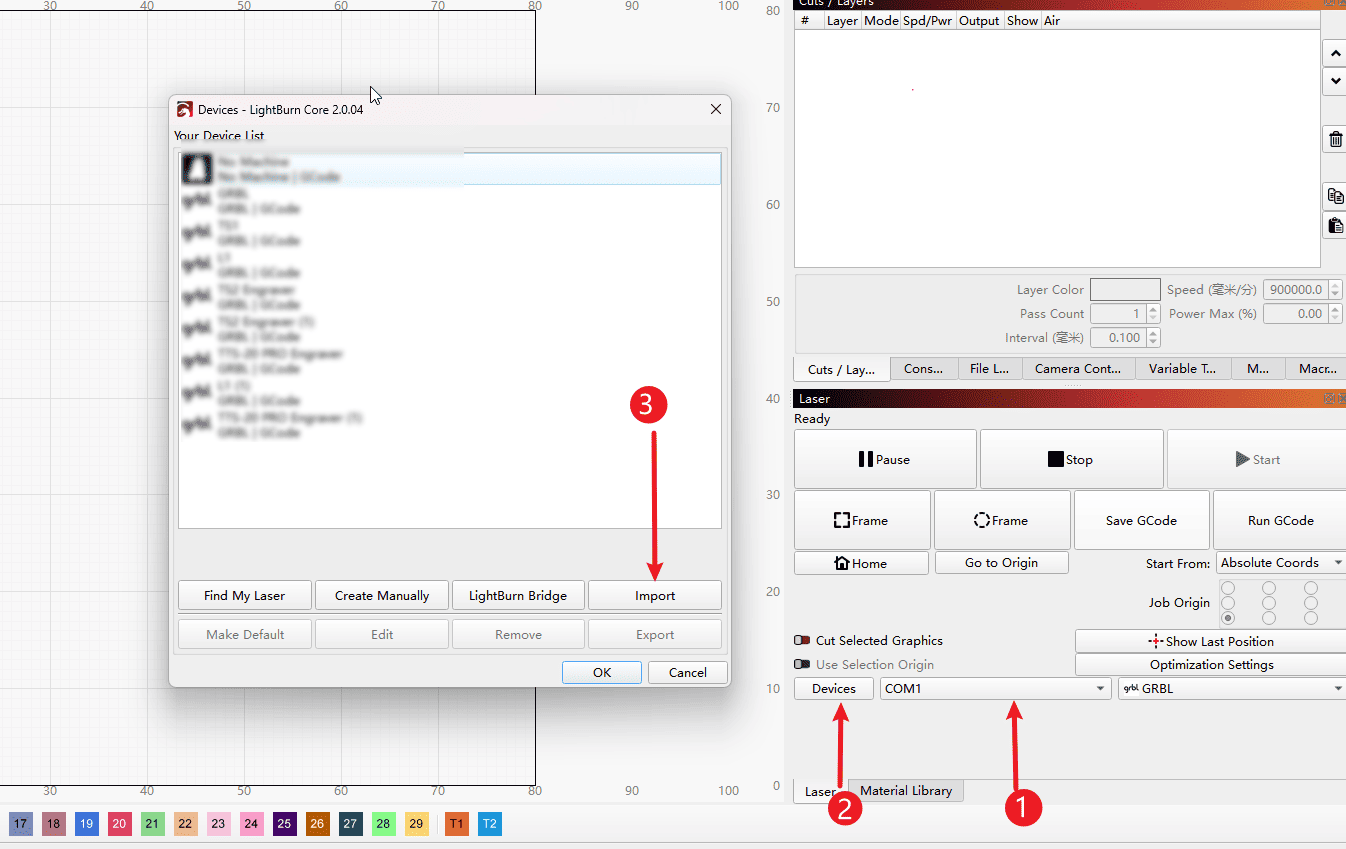
Step 1 (Perform the operations in the order indicated)
- 1.Select the COM port corresponding to the CH340 driver and it will automatically connect.
- 2.Click on the device options
- 3.Click "Import"
|
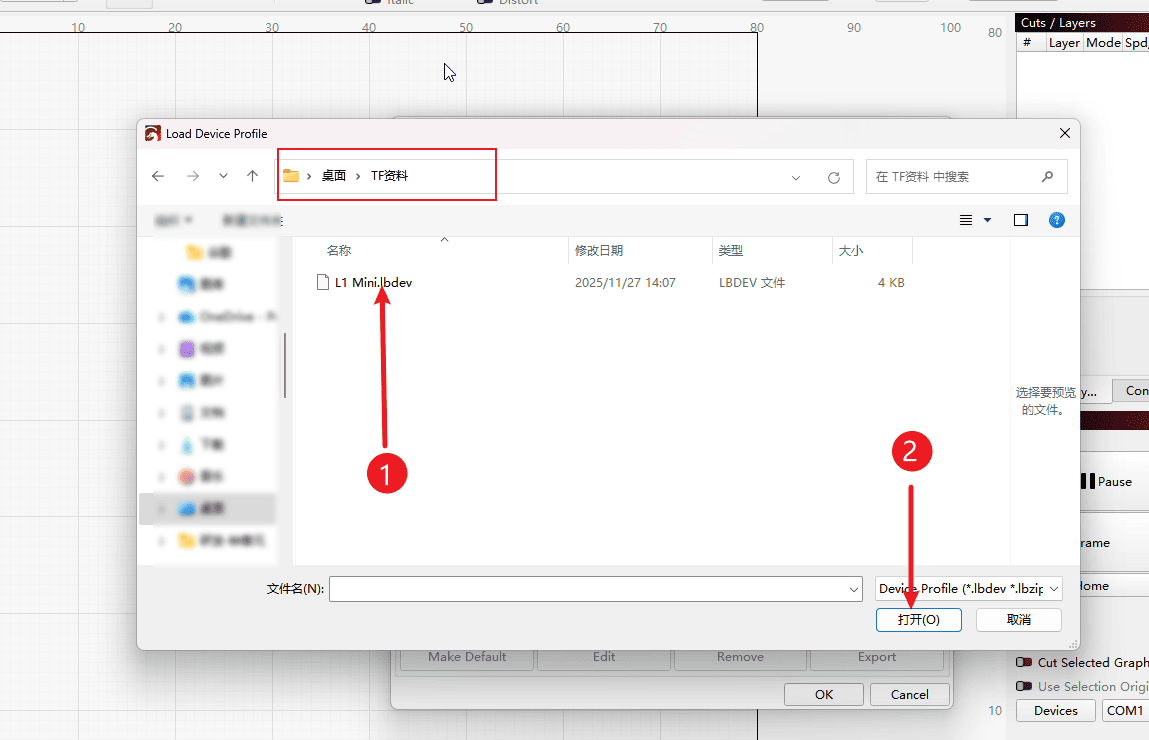
Step 2 (Perform the operations in the order indicated)
- 1.Locate the configuration file of the corresponding software in the included TF card.
- 2.Click to open
|
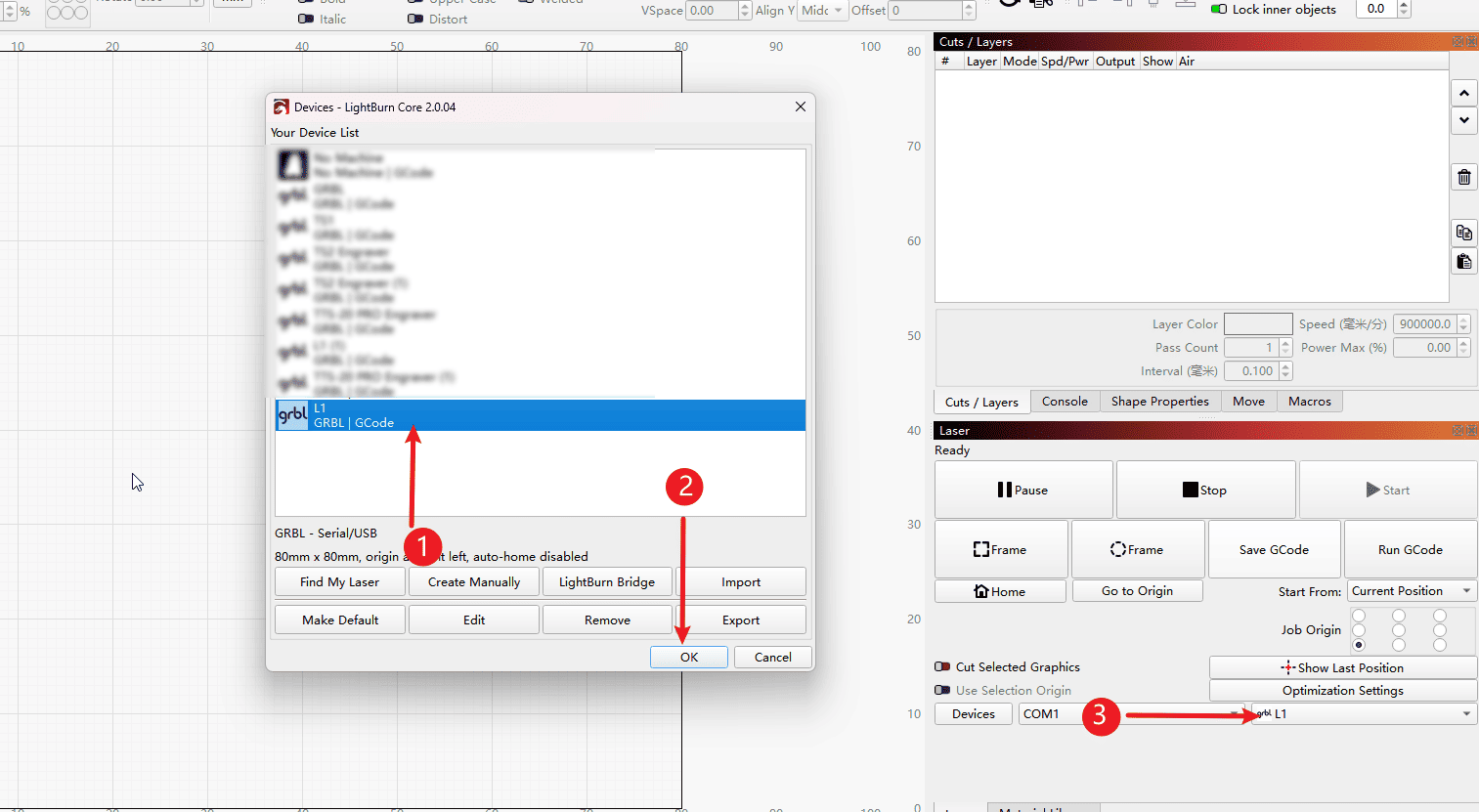
Step 3 (Perform the operations in the order indicated)
- 1.Select the imported configuration file
- 2.Click "OK"
- 3.The configuration file has been imported successfully.
|